
TikTok Comment Viewer and Exporter
Read a video's comments and replies here for free, with no TikTok login and no app. When you need the list itself, export it to Excel or CSV — for a giveaway draw, a client report or a dataset.
Reading needs no account. Exports use credits, and a free account starts with 2,000.
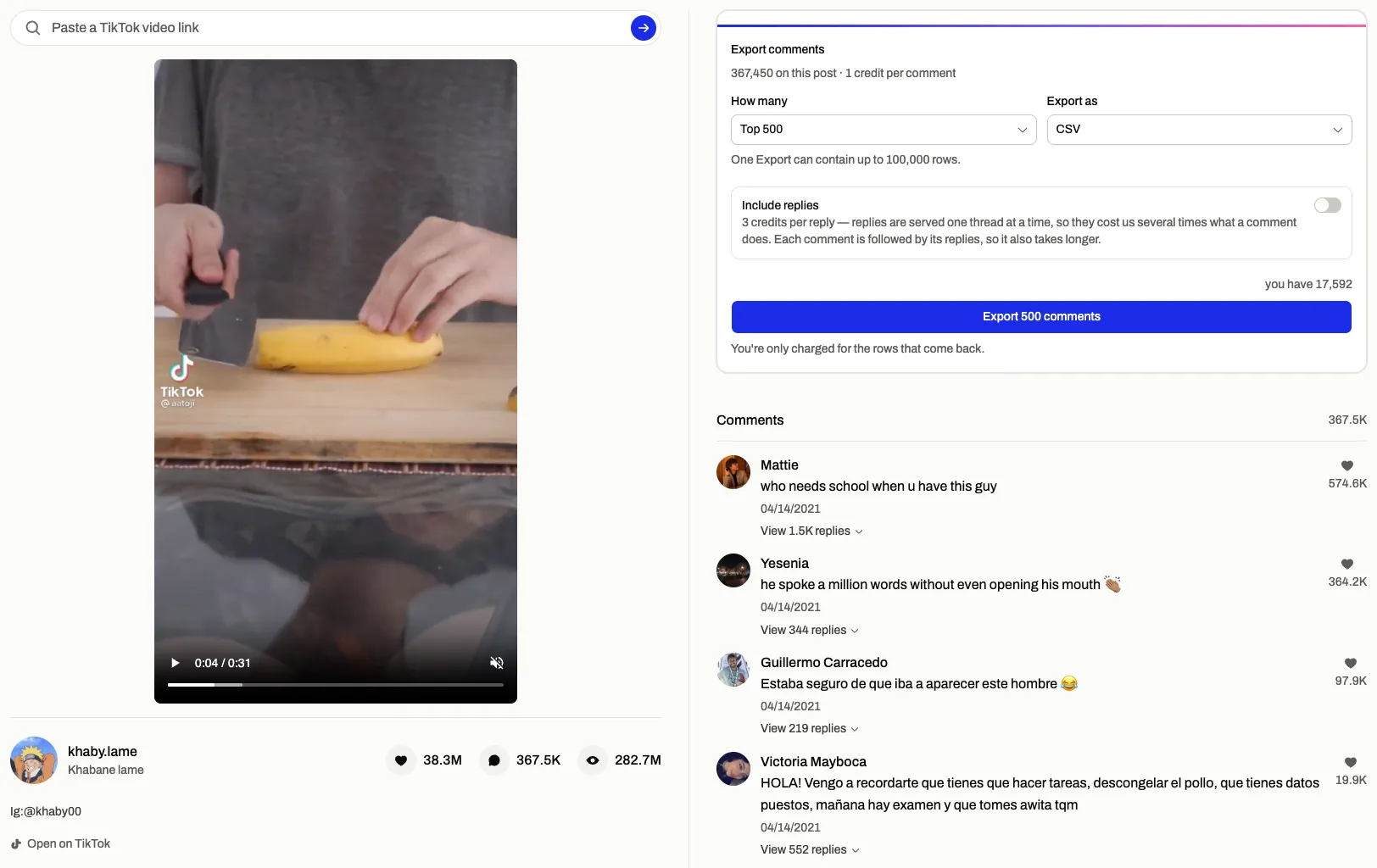
Using the TikTok comment viewer, step by step
- 01
Copy the video link
In the app it is Share, then Copy link; in a browser it is the address bar. Short vm.tiktok.com links work too. You never sign in to TikTok here.
- 02
Check the thread before you spend anything
The comments open on this page with their replies, so you can confirm it is the right video and see roughly how big the thread is. Reading costs nothing and needs no account.
- 03
Export the rows
Choose how many rows and whether to include replies, then take an Excel or CSV file. The export runs in the background and fetches the thread as it stands when you start it, not a copy from earlier.
What it can export, and what nothing can
Plenty of TikTok tools promise private accounts or a list of everything someone has commented. TikTok publishes neither. This is what a public video actually gives you.
It does
- Every public comment on a public TikTok video
- Replies, including the ones folded behind "View more replies"
- Each comment's handle, likes, reply count and posting date
- Up to 100,000 rows in one export, as Excel or CSV
It does not
- Private accounts, or videos shared with friends only
- Deleted, removed or region-locked videos
- Comments TikTok has hidden or filtered, so a file can land under the count on the video
- A list of everything one person has commented
- Pick your giveaway winner — that last step happens in your spreadsheet
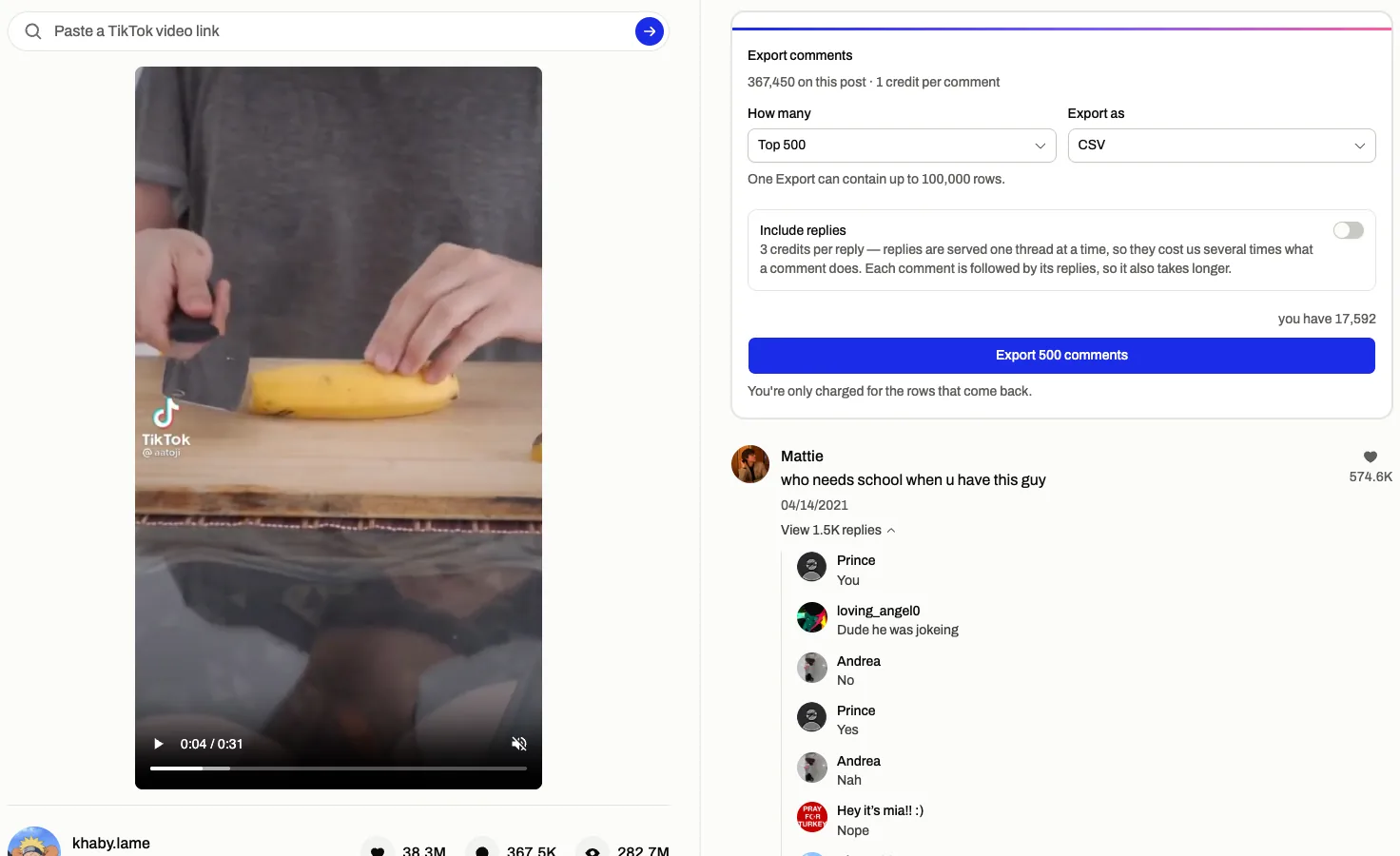
Read a TikTok comment section without the app
On a work laptop, a school Chromebook or a phone without TikTok installed, paste the link and the comments open here. There is no login step, so nothing is tied to an account of yours.
Long threads keep loading as you scroll. Each reply thread opens under the comment it answers, replies TikTok folds behind "View more replies" included.
No account is involved in a read, so there is no reading history attached to you.
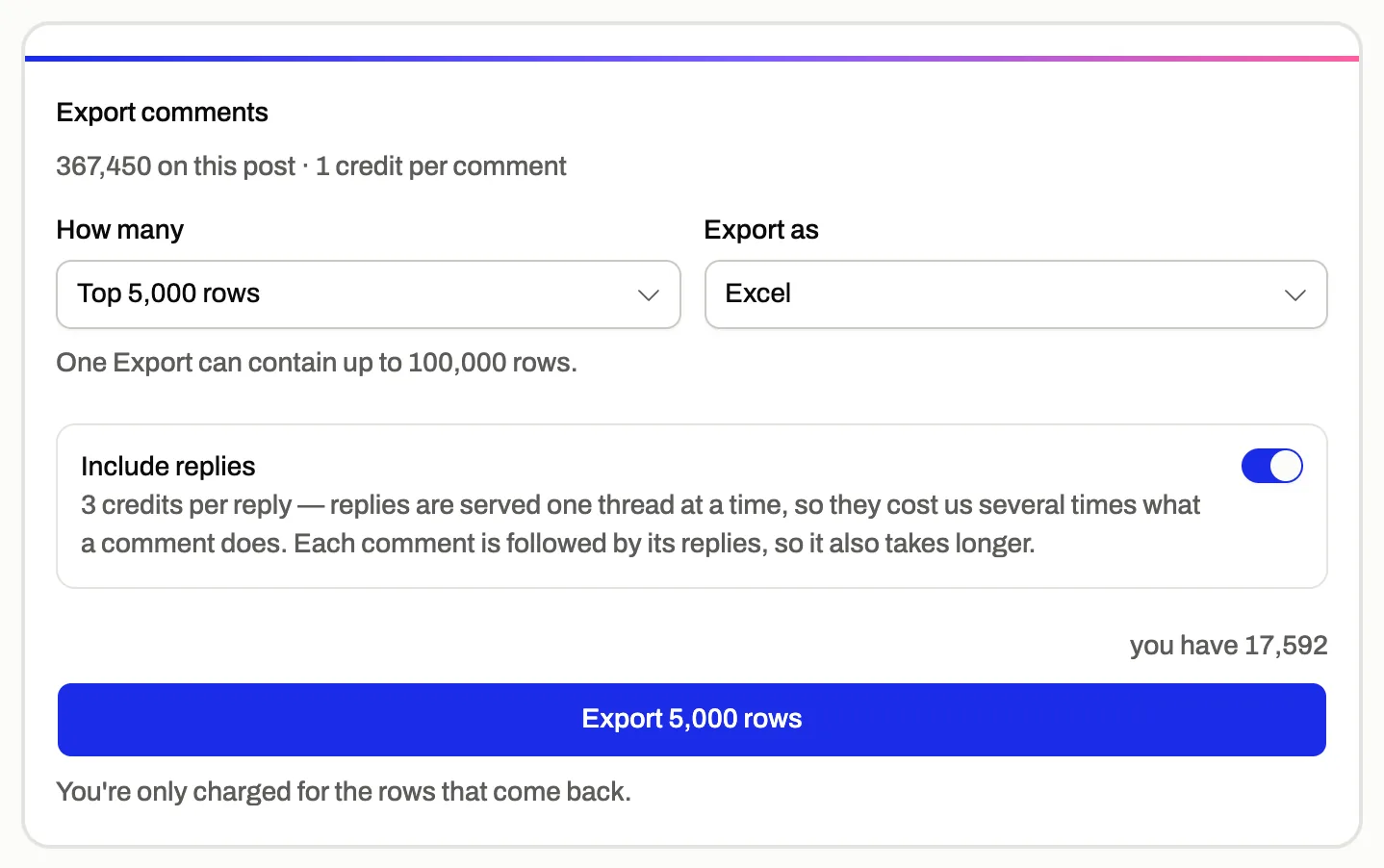
Export TikTok comments to Excel or CSV
Pick a row count, from 500 up to the whole thread, and switch replies on or off. Each row is one comment: handle, display name, profile link, text, likes, reply count, the pinned and creator-liked flags, and when it was posted.
Every row also carries its own id and its parent's, so a reply stays attached to its comment after you sort or filter the sheet.
You pay for the rows that arrive: one credit per comment, three per reply.
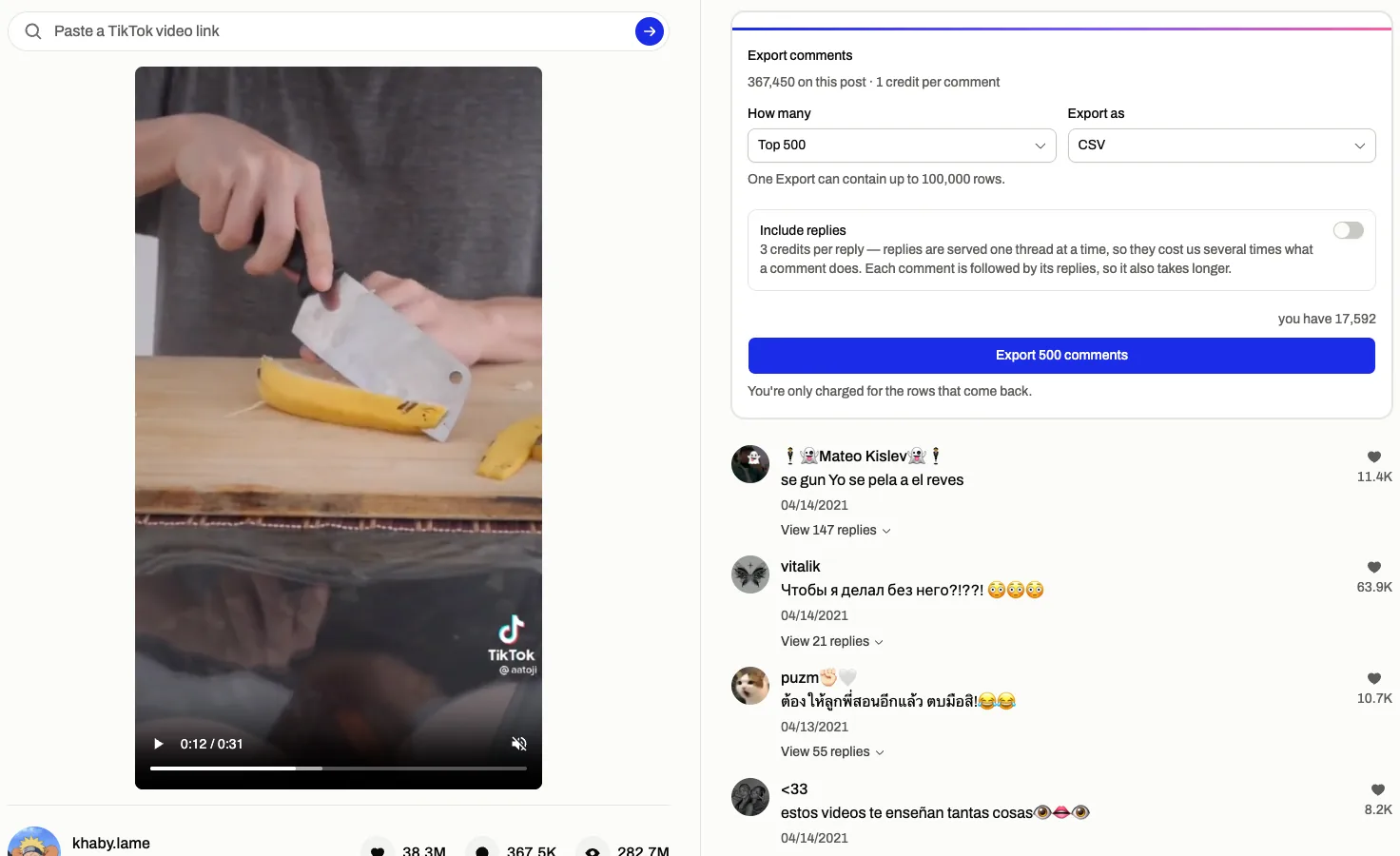
A TikTok giveaway draw from every entry
Export the thread once entries close. The export reads the comments as they are at that moment, so a late entry is in and a deleted one is out.
In the sheet, remove duplicates on column D (the handle) for one entry per person, filter on the text column if entries had to tag friends, then draw a row with =INDEX(D2:D,RANDBETWEEN(1,COUNTA(D2:D))).
Comment Viewer does not pick the winner for you. Keeping the exported file is what lets you show how the list of entries was built.

No extension, no app, any device
There is nothing to install, so it works where installing is not allowed.
It never connects to a TikTok account, which means there is no login for TikTok to flag and nothing is ever posted, liked or followed.
One responsive page serves an iPhone, an Android phone, a tablet, a Mac and a PC alike.
Who exports TikTok comments
- Creators running giveaways
- Get every entry into one sheet, drop the duplicates and draw a winner you can account for afterwards.
- Social media managers
- Hand a client the full comment section of a campaign video as a spreadsheet, replies kept under the comments they answer.
- Researchers and students
- Collect the text, authors, likes, dates and reply structure of a thread for sentiment or keyword work, with no scraper to write or maintain.
Reading is free. Exports are priced per row.
$0
No card. Credits land the moment you sign up.
- Browse comments and replies — unlimited
- 2,000 credits on sign-up for comment exports
- No TikTok, Instagram or YouTube login required
$5.99
One-time payment · $0.20 per 1,000 comments
- 30,000 credits added instantly
- About 30,000 comments exported
- Credits expire after 1 month
$12.99
One-time payment · $0.17 per 1,000 comments
- 75,000 credits added instantly
- About 75,000 comments exported
- Credits expire after 1 month
$21.99
One-time payment · $0.15 per 1,000 comments
- 150,000 credits added instantly
- About 150,000 comments exported
- Credits expire after 1 month
Every paid plan and credit pack includes
- TikTok, Instagram and YouTube exports
- Include comment replies
- CSV and Excel files
- No TikTok, Instagram or YouTube login required
One credit per exported comment and three per reply, billed only for the rows that come back. A free account starts with 2,000 credits.
Frequently asked
Can I see TikTok comments without logging in?
Yes. The TikTok comment viewer reads public videos without any TikTok account: paste the link and the comments open in your browser. A Comment Viewer account is only needed to export, and it is free.
How do I get my giveaway comments into a spreadsheet?
Paste the giveaway video's link, open the export, choose all rows and whether replies count as entries, and download Excel or CSV. Then remove duplicate handles and draw a random row in Excel or Google Sheets.
Does it show the replies hidden behind "View more replies"?
Yes. Each thread opens in full under its comment, and an export can include every reply, each row tagged with its parent comment's id.
How many comments can I export at once?
Up to 100,000 rows in one run. TikTok's count on a video can be higher than what it actually hands out, because deleted, hidden and filtered comments are not served, so the whole thread means everything TikTok returns.
If I export again later, do I get the new comments?
Yes. Every export fetches the thread when you start it instead of reusing what was read earlier, so a second run picks up comments posted since the first.
What columns does the file have?
Comment id, parent comment id, display name, handle, profile link, text, likes, reply count, pinned, liked by the creator, and posting date. Excel and CSV carry the same columns.
Can a TikTok comment history viewer show what one person has commented?
No, and a tool that claims to is guessing. TikTok does not publish a list of one account's comments. You can open each of their public videos and read that video's thread here.
Does the creator see that I read their comments?
No. Nothing here signs in to TikTok, so there is no account for a visit to be shown under.
Do I have to connect my TikTok account or give my password?
No, and nothing here will ask for either. Comment Viewer only reads what a public video already shows, and it never posts, likes or follows anything.
Why is exporting paid when reading is free?
Reading is mostly served from a short-lived cache. An export walks the entire thread page by page through TikTok's comment pagination, and each page costs us money. Replies cost more because every reply thread is a separate round trip.
A link opened nothing. Why?
Usually the video is private, deleted or region-locked, or the link points to a profile rather than a video. A read that fails costs nothing.
Is Comment Viewer affiliated with TikTok?
No. Comment Viewer is independent; TikTok is a trademark of its owner.
Paste a TikTok link and read the thread
No sign-up to read. Export when you need the list.
Public videos only. The comments belong to the people who wrote them: analysing them for yourself is ordinary use, and republishing them is a matter between you and their authors.